Rent Payment Chargeback Guide for Landlords and Managers
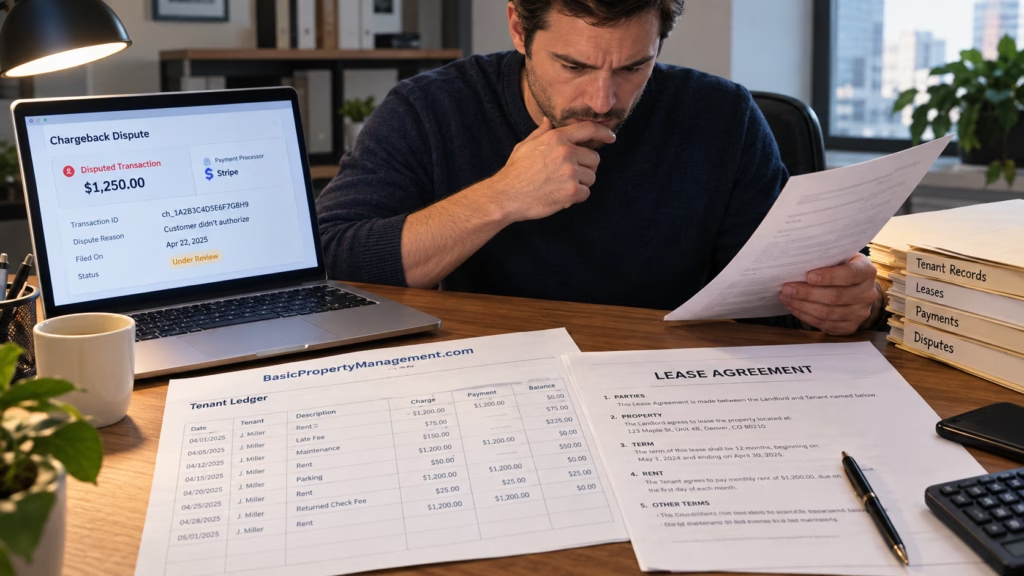
A rent payment can look settled, appear on the tenant ledger, and then be pulled back after the tenant disputes the transaction. When a rent payment chargeback arrives, the landlord is suddenly managing both a processor deadline and a rent balance that may return if the dispute is upheld.
The fastest response isn’t to argue with the tenant. Preserve the original transaction, identify the dispute reason, gather evidence that addresses that reason, and submit it before the processor’s deadline. If the payment is ultimately reversed, move the balance into the same documented collection process used for other unpaid rent.
Learn How Successful Landlords Manage Better Rentals
Join our 2X weekly newsletter for clear, actionable guidance on property management, leasing, tenant issues, rental property operations, and real estate investing strategies you can actually use.
In the First 24 Hours Identify the Transaction and Deadline
Start with the processor notice rather than the tenant’s explanation.
“Chargeback” is often used as a catch-all, but card disputes, ACH returns, and failed payments don’t follow the same process. A cardholder may dispute a debit or credit card payment as unauthorized, duplicated, or incorrect. An ACH payment can be returned for reasons ranging from insufficient funds to an authorization dispute.
Create a case record containing the payment date and amount, rent period, payment method, transaction ID, dispute reason, notice date, response deadline, amount removed or held, and any processor fee.
The reason code should drive the response. If the claim is that a $1,800 payment was unauthorized, proving that the lease requires $1,800 in rent doesn’t prove authorization for that transaction.
Put the processor deadline on the calendar immediately. Processor windows can be much shorter than the broader dispute timeline available to banks or card networks. For example, Square’s dispute-documentation guidance gives merchants seven days to submit requested information. Your actual deadline is the one shown by your processor or acquiring bank.
Preserve the Ledger Instead of Rewriting History
Don’t delete the original rent payment just because it has been disputed.
If June rent of $1,800 was paid on June 2 and the processor later reverses it, keep the original payment and post a separate reversal when the money is removed.
June 1 — Rent charge $1,800
June 2 — Electronic payment $1,800
July 15 — Payment dispute opened
July 16 — Processor reversal $1,800
That history is easier to audit than a ledger that suddenly makes the June payment disappear.
Our rent ledger template for landlords shows why charges, payments, credits, and reversals should remain separate entries. Preserve the processor receipt, payment authorization record, lease, tenant communications, and relevant platform logs as part of the same file.
Build the Evidence Around the Dispute Reason
More documents don’t necessarily make a stronger response.
The evidence should answer the claim the issuing bank is evaluating. Visa’s overview of the chargeback process describes the merchant response as a chance to submit evidence such as receipts and customer communications through the acquiring bank for review.
Useful records may include the signed lease, rent ledger, processor receipt, transaction ID, payment authorization information, messages discussing the payment, prior undisputed payments through the same method when relevant, and records showing the tenant occupied the property during the rent period.
Keep the package chronological. A short explanation can identify the property, rent period, payment date, amount, dispute reason, and documents attached.
If the claim is a duplicate charge, show why two similar transactions represented different obligations or acknowledge the duplication if one occurred. An unauthorized-payment claim requires more emphasis on authorization records, communications, payment history, and account details.
Don’t Create a Different File After the Dispute
A weak record doesn’t become stronger because it has been rewritten.
Don’t backdate an authorization, alter screenshots, remove inconvenient ledger entries, or ask someone to sign a statement describing an agreement that didn’t exist when the payment was made.
Third-party payments deserve particular care. A parent, partner, roommate, employer, or other person may have paid rent for the tenant before. Prior use of a card or bank account can be relevant, but it doesn’t automatically establish authorization for every later transaction.
Preserve what you know and distinguish it from what you assume.
Keep Tenant Communication Separate From the Processor Case
Contacting the tenant can be useful when the dispute may have resulted from confusion, an unfamiliar payment descriptor, or an accidental bank inquiry.
Keep the message factual. Confirm the date and amount of the disputed payment and ask whether the tenant initiated it. If the tenant says the dispute was accidental, ask them to address it with their bank while you continue following the processor’s instructions.
Don’t abandon the processor case because the tenant says, “I already called the bank.” Treat the dispute as open until the payment platform confirms otherwise.
The CFPB’s consumer guidance on unauthorized electronic transactions explains that a consumer’s bank may investigate and, in some circumstances, provide provisional credit while the issue is reviewed. Money moving during that investigation isn’t necessarily the final outcome.
Don’t Simply Run the Same Payment Again
A reversed transaction can recreate an unpaid balance. It doesn’t automatically create permission to charge the same card or bank account again.
Reprocessing the payment without appropriate authorization can produce another dispute and a more complicated transaction history. Check recurring-payment settings as well if the tenant has challenged an automatic debit.
Use the payment methods and authorization procedures supported by your rent-collection system for any replacement payment.
Keep Processor Accounting and Tenant Accounting in Sync
Chargebacks often create timing differences between the bank account and the tenant ledger.
A processor might withdraw the disputed amount while the case is pending. If you win, the funds may be returned. If the tenant prevails, the reversal may remain permanent.
The bank reconciliation should reflect what the processor actually deposited, withheld, or withdrew. The tenant ledger should show the rent charge, original payment, reversal, and any replacement payment.
Avoid burying the reversal in a generic adjustment. “Chargeback reversal of 6/2 rent payment” gives the transaction a traceable purpose.
For managed properties, owner statements should also distinguish chargeback activity from an ordinary operating expense.
How to Recalculate the Tenant Balance
If the dispute is resolved in your favor, confirm that the processor returned any withheld funds and reconcile the account.
When the payment is permanently reversed, recalculate the tenant balance from the ledger. Verify the original rent charge, valid payments and credits, amount reversed, rental period affected, processor fees, other outstanding charges, and whether the tenant remains in possession.
Don’t automatically pass the processor fee through to the tenant. Whether that charge belongs on the tenant account can depend on the lease, payment agreement, platform terms, and applicable requirements.
Late charges deserve the same review. A chargeback doesn’t mean every fee associated with ordinary late rent should be added automatically.
Move a Final Reversal Into the Normal Collection Process
Once the processor case is over, a final reversal becomes an account-balance issue.
Send the tenant an updated ledger or statement showing the original rent, payment, reversal, and current balance. If replacement payment is appropriate, provide clear instructions for an accepted payment method.
For an active tenancy, use the same documented collection process you apply to other unpaid rent. If the tenant has moved out, include the balance in the final account and determine the next collection step from the complete ledger.
Property managers should assign one person to own the case until both the payment dispute and tenant ledger are closed. That reduces the risk of processor support, accounting staff, and leasing teams making separate adjustments that don’t reconcile.
Use the Closed Case to Improve Rent Collection Controls
After resolution, review how the payment entered the system and how quickly the dispute was detected.
Ask whether the authorization record was easy to retrieve, whether the tenant received a clear receipt, whether the payment descriptor was recognizable, and whether staff saw the dispute notice promptly.
Useful controls include retaining authorization records, sending payment confirmations, limiting who can alter tenant ledgers, monitoring dispute notifications, reconciling processor deposits against tenant payments, and documenting third-party payers.
Good property management won’t prevent every payment dispute. It can prevent one from becoming an accounting mess.
Handle the Deadline First and the Collection Second
A rent payment chargeback has two stages, and they shouldn’t be blended together.
While the dispute is open, preserve evidence, respond to the exact claim, meet the processor deadline, and keep the ledger history intact. Once a reversal is final, recalculate the account and move the unpaid amount into the normal collection workflow.
That sequence keeps processor evidence, rental accounting, and collection activity separate. It also gives landlords and property managers a record they can explain months later without relying on memory.